
1. What is animation in e-learning?
Animation in e-learning involves using moving images, ranging from simple illustrations and dynamic charts to animated characters and 3D simulations, to convey learning content in a visual, engaging, and easily understandable way. Instead of simply reading text or viewing static images, learners access lectures through smooth movements, realistic simulations, or stories told through visuals.
In the e-learning environment, animation not only enhances lessons but also serves as a powerful pedagogical tool: it helps explain complex concepts, describe processes, recreate situations, and improve memorization. Thanks to its versatility, animation is suitable for many fields: from general education, foreign languages, and soft skills training to corporate internal training.

| ANIMATION VIDEO
According to research by 3M, the brain processes images up to 60,000 times faster than text.
Animation is an upgraded version of static images. This is why animated videos help learners absorb information faster and remember it much longer than traditional text slides.
2. Benefits of Using Animation in E-Learning
Increase the ability to attract and retain attention.
Animation creates a dynamic, colorful learning experience that keeps learners engaged for longer. Thanks to movement and the visualization of ideas, the brain is less likely to get bored and can focus more easily on the content.
Explain difficult concepts in an easy-to-understand way.
Abstract, technical, or complex content can be simplified through animated illustrations. Animations that simulate processes, diagrams, and data transformations help learners "see" instead of having to imagine.
Improve memory retention and practical application.
Research indicates that learners retain 65% of information when it is presented visually, compared to only 10–20% when learning through text. Animation creates a strong visual impact, thereby increasing long-term retention rates.
Suitable for learning on mobile devices.
Animations can be optimized to display beautifully and clearly on phone screens—a crucial factor in the era of rapidly developing mobile learning.
3. Popular types of animation videos in E-Learning

Motion Graphic
Motion graphics are static images (charts, icons, text, illustrations) that are moved rhythmically to explain information.
Advantages: Suitable for data-intensive content, processes, and operating instructions. Effective in visualizing dry information such as numbers, structures, and operating principles. Motion graphics have a modern style and are easily expandable.
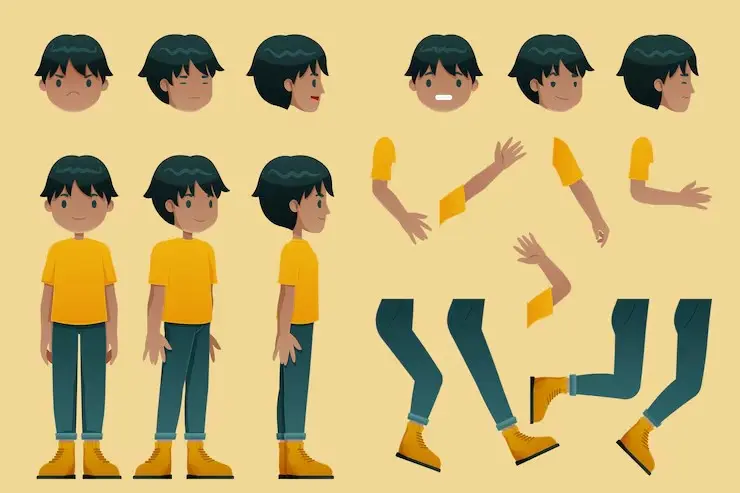
2D Animation
This is a traditional form of animation with characters and environments designed in 2D space.
Advantages: Good storytelling, easily evokes emotions, relatable to viewers. 2D animation is often used for scenario-based learning lessons such as customer service, communication skills, or professional ethics lessons. 2D characters help learners easily empathize and role-play.

3D Animation
3D animation creates images with high depth and realism.
Advantages: Very powerful for simulating machinery, equipment, human body structures, or engineering processes. 3D allows learners to observe details from multiple angles, giving a "realistic" feeling. This is a top choice for medical education, engineering, industrial manufacturing, or occupational safety training.
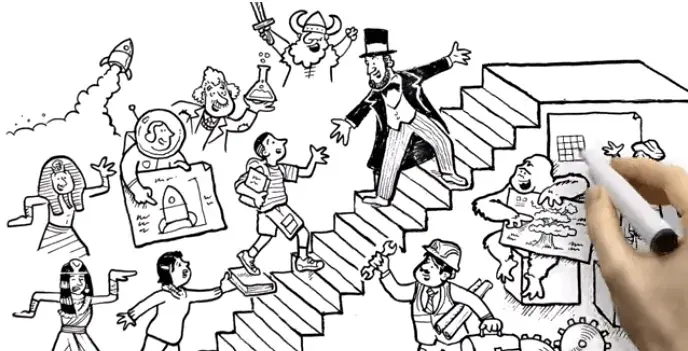
Whiteboard Animation
Whiteboard Animation simulates hand-drawn lines on a whiteboard accompanied by narration.
Advantages: Explains concepts simply and in a user-friendly way, suitable for beginners. The slow, step-by-step presentation makes it easy for learners to follow. Commonly used in STEM education, foreign language training, or basic soft skills training.
4. Some notes on using animation in E-Learning
To ensure animated videos are effective in training, the following should be considered:
➤ Appropriate length: Videos shouldn't be too long; it's better to break down larger content into smaller videos to maintain the learner's attention.
➤ Clear Storyboard: Draw up the script before creating the animation to ensure the video structure is logical, easy to understand, and conveys the right message.
➤ Choose the right style: Depending on the training objectives and target audience, choose 2D animation, 3D animation, motion graphics, or whiteboard.
➤ Sound and voiceover: Use appropriate narration, a gentle but not distracting background sound, and synchronize it with the visuals.
➤ Optimize format: Export videos in a popular format (such as MP4) for easy embedding into an LMS or sharing online.
5. Case Study: Cargill – Application of Video Animation to Enhance Internal Training
➤ How to apply Animation:
Cargill has used the Vyond tool to transform traditional training materials, which are text-heavy and dry, into short, engaging, and visually appealing animated videos. These videos include motion graphics, animated characters, and dynamic charts, helping to illustrate processes, concepts, and real-life situations in an easily understandable way. Employees can watch these videos anytime, anywhere, and the content is quickly updated when there are changes in procedures or company policies.
➤ Achieved results:
After implementing animation, Cargill reported a significant increase in engagement and course completion rates compared to traditional materials. Employees found it easier to remember the content, the learning process became more engaging, and the company also saved on production costs and time for content updates. This is clear evidence of the effectiveness of animation in internal training.
6. Case Study: Retudy – Microlearning kết hợp Video Animation

➤ Applying Animation in Retudy:
Retudy utilizes short animation videos to illustrate the knowledge in each micro-module. Instead of just having text slides or static images, the lessons use motion graphics, dynamic infographics, and 2D animations to explain concepts, processes, or real-life situations. This design makes the lessons more engaging, easier to absorb, and suitable for small screens on mobile devices.
➤ Results and benefits:
The integration of animation into microlearning brings many benefits to Retudy:
Increase attention and learning interest: Engaging animations and transitions keep learners focused for longer.
Improving memory retention: Visual information is processed faster by the brain, helping learners remember longer and apply knowledge more effectively.
Optimizing mobile learning: Short videos, easy-to-view animations on phones, help learners study in "bite-sized" chunks anytime, anywhere.
Conclusion
Animation is a powerful tool in E-Learning, allowing you to transform abstract concepts, complex processes, or dry content into a visual, engaging, and memorable experience. By using the right styles such as whiteboard, 2D, 3D, or motion graphics and integrating them with narration and a coherent storyboard, you can create educational videos that not only captivate learners but also enhance training effectiveness. Investing in animation can provide long-term value and help your course stand out in the context of digital training.
"An investment in knowledge pays the best interest."
